
Shatei (Apprentice)
A downloadable tool for Windows
⚠️ Security Note & False Positives:
They still haven’t fixed the false positive yet 💧. In the meantime, the precious window right after release is slipping away, and I’m starting to feel resentful toward Microsoft, thinking that most people probably haven’t even had a chance to use it yet 🥺. I’m still going back and forth with resubmissions and appeals, so please bear with me a little longer. Anyway, this is definitely safe, so please go ahead and exclude it from Defender and give it a try 😭 (2026/04/02)
Due to the nature of the Nuitka compiler (which bundles Python scripts into a single executable), some antivirus software—including Windows Defender—may incorrectly flag this app as a threat (e.g., Trojan:Win64/Nuitka!MTB). Please be assured that Shatei is a 100% safe local tool and does not contain any malicious code. If your browser or Windows blocks the file, you may need to "Keep" or "Allow" it manually.
VirusTotal Verification
I have scanned each executable to ensure transparency. You can verify that these detections are primarily "AI-based" or "ML-based" false positives:
- shatei.exe (Main UI)(https://www.virustotal.com/gui/file/7aedbdb7655aaca125f443519d1709bf3d84f9135d26d4b574441ca16663d3a3/)
- engine.exe (AI Processor)(https://www.virustotal.com/gui/file/bd2a9263a135c64dcaaa2b5e134e6da36edb61ec8482463546d98bdb32f7c172/)
- puller.exe (Model Downloader)(https://www.virustotal.com/gui/file/66665fc5872d8ccb0bd3f9ed4e16a42b148cbd14a80b3282e92d0087ed49b3b9/)
🕶️ Shatei (Apprentice)
Meet "Shatei" — The AI Sidekick that works for you, while you work.
Tired of AI apps that hog all your RAM and demand your full attention? Meet Shatei (Japanese for "Apprentice" or "Minion"), a uniquely lightweight, autonomous AI assistant designed to run 100% locally on your PC without breaking a sweat.
Shatei isn't about "instant answers." It's about "diligent work."
The "Slow & Steady" Philosophy 🐢
While modern AI aims for sub-second responses by consuming massive resources, Shatei takes a different path. It runs quietly in the background, utilizing minimal CPU and RAM (even on older 4th-gen Core-i5 machines!), and focuses on completing your tasks while you handle your main creative work.
It might take 10 minutes or an hour to finish a task, but like a loyal apprentice, it never complains and never gets in your way.
Key Features ✨
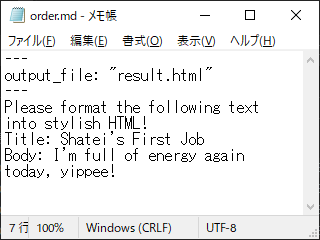
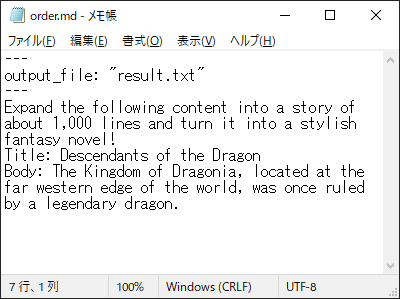
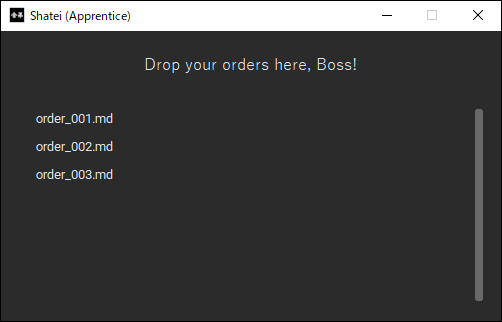
- True Background Processing: Drag and drop your "Job Order" (Markdown/Front Matter) and let Shatei handle the rest.
- System Tray Integration: Once a task is started, Shatei can be minimized to the system tray. A friendly notification will pop up the second your file is ready.
- Resource Friendly: Designed to be invisible. Edit videos, retouch photos, or play games while your Sidekick grinds away in the background.
- 100% Local & Private: Powered by Ollama. Your data never leaves your machine. No subscriptions, no cloud, no leaks.
- Zero-Install Portable EXE: No admin rights required. Just run it and start delegating.
How to Use 🛠️
- Prepare a "Job Order" (a simple Markdown file with instructions).
- Drag the file onto the Shatei window.
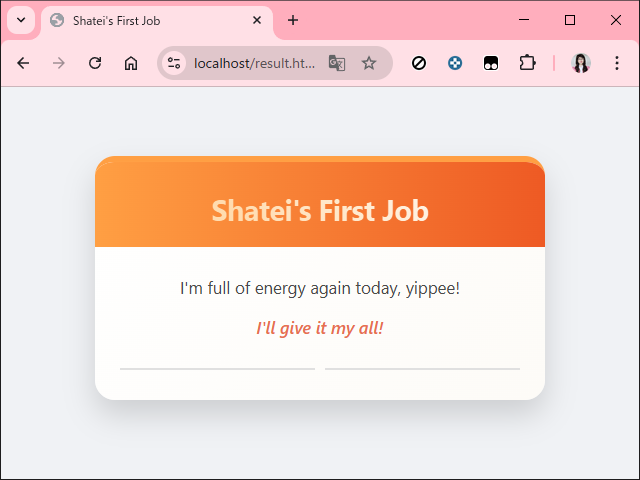
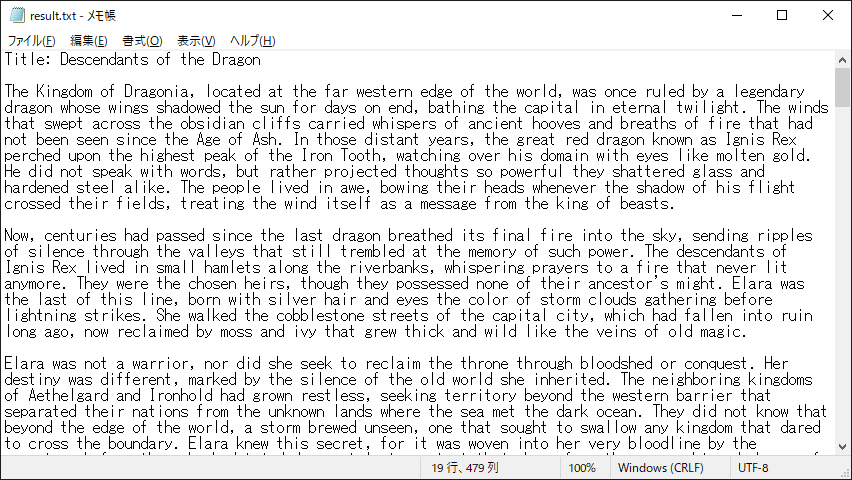
- Go back to your work. Shatei will notify you when the result is saved to your disk!
English Manual included. 日本語マニュアル同梱。
A Message from the Creator 💖
"Shatei" was born from a desire to have a helpful AI companion that respects the user's hardware and focus. It's not a tool for those who want everything "now"; it's a tool for those who value steady progress and local privacy.
Give your PC a loyal apprentice today!
Download
Click download now to get access to the following files:
Development log
- Latest Report on False PositivesApr 02, 2026
- Version 0.01Mar 18, 2026
Comments
Log in with itch.io to leave a comment.
did you make/train your own local model for this or use ollama premade model?
By default, Shatei uses “qwen3.5:9b-q4_k_m”. After testing various models, this is the one that yielded the best results in an 8GB memory environment.
However, you can change the “model”: “qwen3.5:9b-q4_k_m” section in "config.json" to use any model available on your Ollama instance.
If the model listed here is officially supported by Ollama and is not yet present in your environment, it will be automatically downloaded at startup.
Enjoy!
could i set up agentic pipeline utilizing the config?
thank you ,i have to use a smaller pipeline format for low end hardware :_)
if you compile with nuitka i do too! i can possible help with the AV flags. Dillonmontana@yahoo.com